Calibration Software Comparison: Web Platform vs Desktop Tool
A calibration software comparison pays off as soon as several people work on the same dataset. That is exactly where web-based platforms and classic desktop tools part ways. This overview names the differences — and the places where the desktop tool stays ahead.
Where a Calibration Software Comparison Should Start
Not with the feature list, but with the question of how many people are involved. If one person works alone at the test bench, a local tool is enough. As soon as several calibrators, an OBD department and an approver take part, however, the problem shifts.
It then becomes less about adjusting a map. Instead, it becomes about versions, coordination, evidence and hand-overs. Therefore the decisive yardstick is collaboration, not single-seat feature depth.
Access: Installation vs Browser
A desktop tool needs an install per workstation, plus rights, maintenance and a licence binding. A new colleague therefore waits for IT. An external partner often gets no access at all.
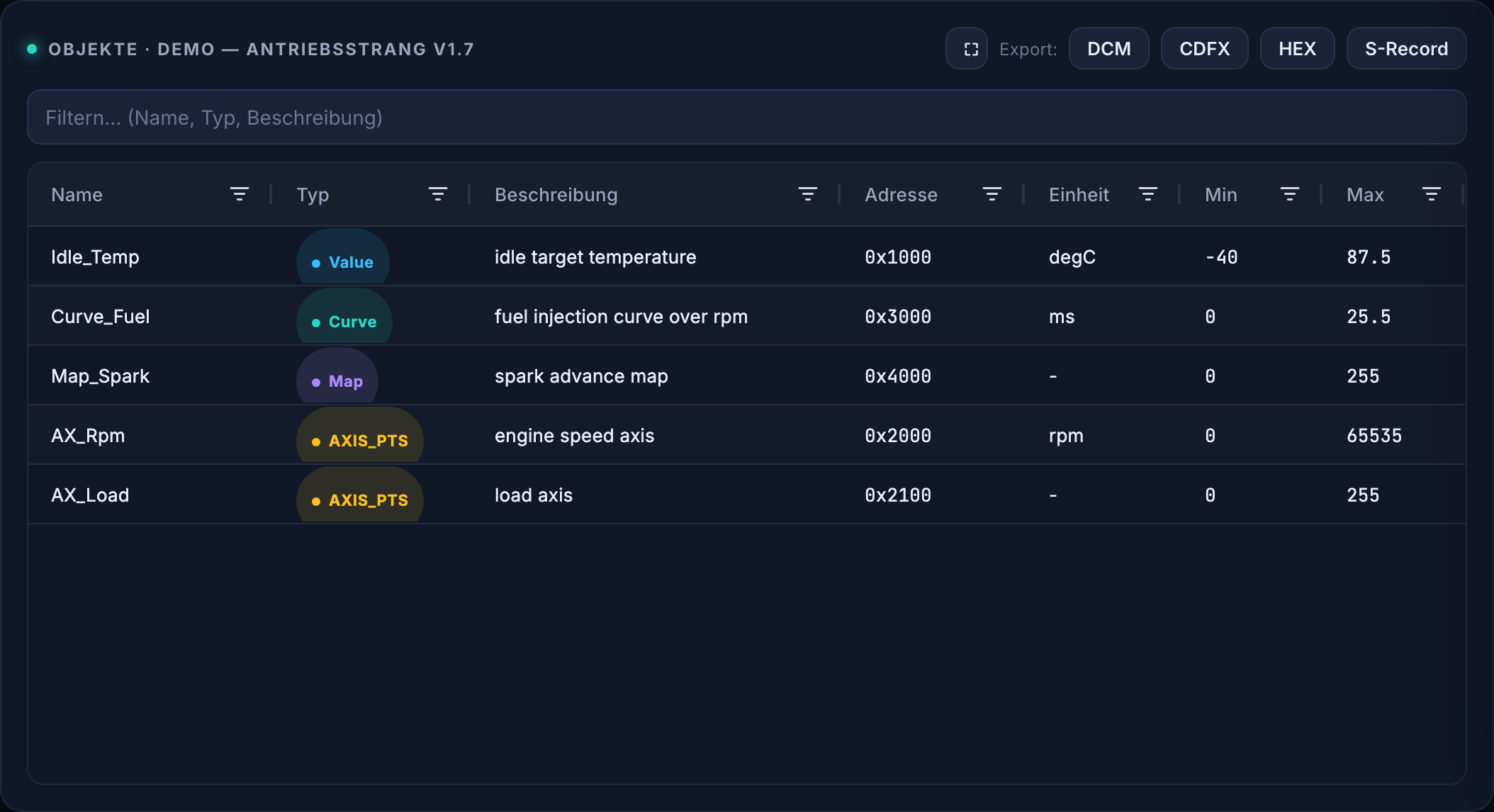
VersaCal runs in the browser instead. So an account in your identity provider is enough, and access ends automatically again. The platform is still operated by you, not by us.
Collaboration: File Share vs Versioning
The usual route today is a file with a date in its name, mailed around or dropped on a share. That works while only one person changes it. After that, manual merges begin, along with the question of which state counts.
Central versioning inverts this: there is one dataset, plus drafts, authors, timestamps and comments per parameter. Consequently the hunt for the current file disappears entirely.
Release: Agreement vs Enforced Gate
The four-eyes principle appears in many process manuals. Without tool support, however, it stays an agreement that gets bypassed under deadline pressure. Evidence rarely results.
VersaCal separates the roles technically: whoever changes does not release. Only a second role's approval creates the state, and it does so with a certificate and audit trail. As a result, the evidence is a by-product of the work rather than an extra task.
Formats and Development in a Calibration Software Comparison
A frequent risk in any calibration software comparison is the proprietary file format. Hold your datasets only inside one vendor's container and getting out again is hard. VersaCal therefore builds on A2L, HEX, S-Record, DCM and CDFX.
The development models differ as well. An established product follows its vendor's release cycle. We build the features your process needs — as a partner, not as a catalogue supplier.
What Classic Tools Still Do Better
An honest comparison does not stop here. At the test bench and in the vehicle the established desktop tools are strong, and that will not change soon. They bring decades of matured measurement-hardware support, drivers and real-time behaviour.
VersaCal does not replace that. The platform covers management, comparison, checking, review and release of the calibration data. In practice the two tools therefore sit side by side, joined through the shared formats.
Read the standards: ASAM-Standards
Frequently asked questions about calibration software comparison
Do I have to retire my current tool?
No, and in most projects that would not even make sense. At the test bench and in the vehicle your existing tool stays in use. VersaCal takes over management, comparison, review and release — the hand-over runs through A2L, HEX, DCM and CDFX.
How much learning does a switch cost?
The vocabulary stays the same: parameter, curve, map, axis, limit. What is new are drafts, change requests and sign-off, that is, workflows from software development. Anyone who knows Git reviews finds their way quickly.
Why not just a file store with versioning?
Because a file store versions files, not parameters. It cannot say which value changed physically and by how much, and it cannot check limits. Doing that requires an A2L parser and an understanding of maps.
A calibration software comparison for your process
Tell us what you work with today. In the demo we show which steps VersaCal takes over and which stay with your existing tool.